


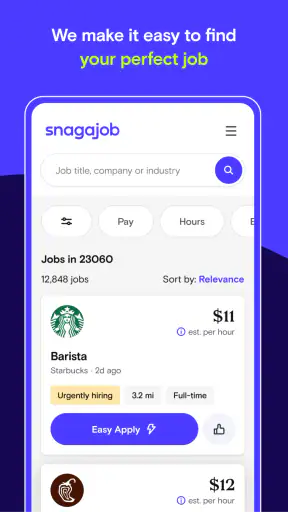
Finding hourly work on a phone sounds simple until you are trying to fit a job around classes, childcare, another shift, or an unpredictable week. I found Snagajob - Jobs Hiring Now most useful in that exact situation: it is a business app built around discovering nearby opportunities in restaurant, retail, and hospitality work, rather than presenting itself as a general professional networking service. The focus is practical, and that makes the experience feel more direct when I already know the kind of shift I want.
It is free to use, aimed at Everyone, and developed by Snagajob.com, Inc. The app has been available since May 10, 2013, and its current version is 8.1.0 for devices running Android 7.0 or later. Its average rating is 3.7 from around 41 thousand ratings, while the app has passed 5 million installs. Those figures suggest a well-established service, but they also set the right expectation: this is a useful job-search tool, not a guarantee that every listing will suit me or lead directly to employment.
How the app feels when the network matters
The central experience depends on being connected. Job discovery is naturally tied to current listings, location-related searches, employer information, and whatever details are available when I open a posting. When my connection is stable, I can move through the search process quickly: choose the kind of work I am considering, narrow the area, inspect an opening, and decide whether it deserves an application. The app makes the most sense as a live search window rather than as a static collection of saved information.
That network dependence is easy to overlook when everything works. I might open the app while waiting for a bus, browse several nearby possibilities, and assume the same results will be ready whenever I return. In practice, a job search is time-sensitive. Listings can change, an employer can stop accepting applications, or a posting can look different after it refreshes. I treat anything I see as a lead to evaluate promptly, not as a promise that the position will remain available indefinitely.
This is also where the app’s specialized focus helps. Instead of beginning with a broad search across every profession, I can concentrate on hourly work in the areas the service emphasizes. For someone looking for a restaurant shift, a retail role, or hospitality work, that narrower purpose can reduce the wandering I often experience on large employment websites. The trade-off is equally clear: if I am pursuing office roles, technical positions, freelance contracts, or a carefully structured long-term career search, this is unlikely to be my only useful destination.
I would not use a weak connection to make important decisions about a listing. If a page loads partially, I prefer to wait until the details are visible before noting requirements or applying. A missed section can matter: the location, schedule, application instructions, or employer expectations may change whether the opportunity is realistic. A reliable connection is therefore not just convenient; it helps me avoid acting on incomplete information.
What I do before opening a listing
My most effective habit is deciding my limits before searching. I think about the maximum travel time I can handle, the days I am free, and whether I need a fixed schedule or can accept changing hours. Without those boundaries, it is easy to collect attractive-looking jobs that are impossible to reach or incompatible with the rest of my life.
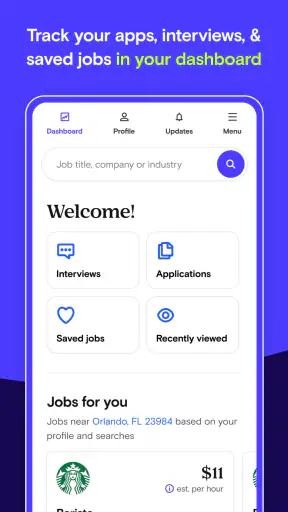
I also search at more than one time of day instead of treating the first session as complete. A mobile job app is useful because I can check it during small gaps, but that convenience can encourage shallow browsing. I get more value when each session has a purpose: discover opportunities, inspect the details, prepare an application, or review the status of something I already pursued.
The strongest workflow is to use the app for discovery, then verify every important detail before committing time. I compare the location with my actual route, read the schedule carefully, and note what the employer appears to be asking for. I do not assume that a convenient search result automatically means a convenient job.
Using it in real mobile situations
The app is particularly well suited to people whose job search happens away from a desk. I can imagine checking it after a class, during a break between shifts, or while sitting in a library with a few minutes to spare. That is more realistic for many hourly workers than planning a long session on a computer every evening. The phone format lowers the effort needed to look again, which matters when availability changes from week to week.
A realistic example is someone who works irregular shifts and needs another source of income. On a free afternoon, I would search for nearby restaurant or retail openings, remove anything outside my travel range, and make a short list of roles that match the next few weeks. Later, I could return to that list when I have a stronger connection and enough time to read each posting properly. The value is not simply finding one result; it is turning scattered spare moments into a repeatable search routine.
That same convenience can become a weakness. Phone screens encourage quick judgments, and job listings deserve more attention than a casual scroll. I can easily focus on a job title or distance while overlooking the practical burden of the schedule. If I am applying from a crowded place, I also may not have the privacy or concentration needed to enter accurate information. For important applications, I prefer a quiet moment, even if I started the search on mobile.
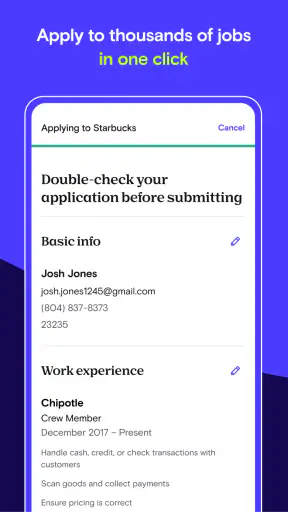
Another useful approach is to separate browsing from applying. During a short break, I can identify promising openings and write down why each one seems suitable. When I have time later, I can revisit those choices, check the details, and submit only the applications I can support properly. This prevents the common mobile mistake of sending several rushed applications simply because the process feels easy.
The app’s Everyone content rating makes it broadly approachable, but that does not mean every job is appropriate for every person. I still consider my age, experience, transport, schedule, and comfort with the workplace before responding. The rating describes the app’s audience, not the suitability of each opportunity shown inside it.
Where it fits beside familiar alternatives
Compared with a general search engine, this app gives my job hunt a more focused starting point. I do not have to invent a collection of search phrases for every nearby hourly role. Compared with visiting individual company career pages, it can be more efficient for initial discovery because I can examine several possibilities in one place. Those are meaningful advantages when speed and convenience matter.
However, I would still use employer websites or direct contact when a role is especially important. A focused job app is good for finding possibilities, while an employer’s own channel may provide the most current application instructions or additional context. I also would not expect it to replace personal networking, local recommendations, or specialist services for professions outside its main hourly-work emphasis.
The best comparison is not “which service is universally better?” but “which step of the search am I doing?” For broad local discovery, Snagajob can be a sensible first stop. For researching an employer deeply, confirming a workplace’s current process, or pursuing a specialized career path, another source may be stronger. I like the app more when I give it a defined role instead of asking it to handle my entire job search.
When something goes wrong and how I recover
Connectivity problems are the most obvious source of friction. A slow connection can make a search feel empty, leave a page unfinished, or interrupt the transition from reading a listing to taking action. I avoid assuming that an empty-looking result means there are no suitable jobs nearby. First I retry, adjust the search slightly, and check again later. That simple pause prevents me from drawing a conclusion from a temporary loading problem.
If an application process is interrupted, I do not immediately repeat every step. I first check whether the action appears to have completed, because sending duplicate information can create confusion. I keep a small note of the employer, role, and approximate time of the attempt so I know what to look for when I return. This is a basic habit, but it is especially helpful when the phone loses signal at an inconvenient moment.
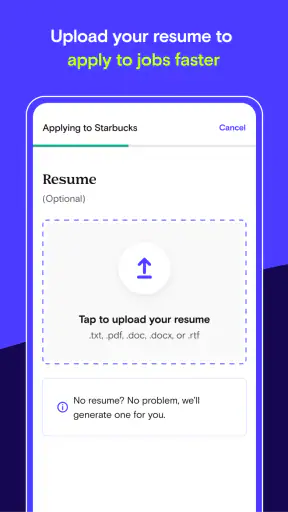
I also prepare outside the app. Having my work history, availability, and contact details organized makes recovery much easier if I need to leave the app and continue later. It reduces the temptation to rush through an application just because the connection has finally returned. The app can support the search, but my preparation determines whether a disrupted session costs me five minutes or an entire evening.
Another failure mode is not technical at all: a listing may simply not fit after closer inspection. The location might be too difficult, the schedule may conflict with existing commitments, or the role may require experience I do not have. I count that as useful filtering rather than wasted effort. A good job-search workflow should help me reject unsuitable options early, not encourage me to apply to everything I see.
Keeping mobile use practical and data-conscious
Because the experience is built around current searches and listing details, I use it when I can give the app enough time to load and read. I avoid repeatedly refreshing the same search without a reason, especially when I am on a limited mobile plan. Instead, I decide what I want to learn before opening a result and move on when I have enough information to make the next decision.
Wi-Fi is useful for longer browsing sessions, but I would not postpone every job search until I reach it. A short mobile session can still be worthwhile if I am checking a specific area or reviewing one opportunity. My approach is to keep searches focused, avoid aimless scrolling, and reserve detailed application work for a stable connection when possible.
I am also careful about the personal information involved. A job application can contain details I would not want to enter casually in a public place. I check that I am dealing with the intended employer and that I understand what I am submitting before proceeding. The app’s free price removes a financial barrier to trying it, but it does not remove the need for judgment about privacy, accuracy, or the credibility of an opportunity.
One less obvious benefit of a data-conscious routine is better attention. When I limit myself to a small number of purposeful searches, I compare jobs more thoughtfully instead of treating every new result as equally valuable. I look for the combination of location, schedule, and role fit rather than chasing the largest number of listings. That makes the app feel less like an endless feed and more like a tool I control.
Who will get the most from it
I would recommend this app to someone seeking flexible, hourly work and wanting a mobile-first way to explore restaurant, retail, or hospitality opportunities. It is especially practical for people who need to search around an existing schedule, who prefer nearby options, or who do not want to begin with a large professional networking platform. The free access makes it easy to test whether the available listings match the local market and personal needs.
It is also useful for a person returning to work after a break, provided they approach each listing carefully. The focused categories can make the first search less intimidating than a broad employment site filled with unrelated roles. I would still prepare a clear work history and realistic availability beforehand, because a convenient search does not automatically produce a strong application.
I would skip relying on it as my main service if I were seeking senior professional positions, highly specialized technical work, academic roles, or freelance projects. I would also look elsewhere if my priority were extensive employer research, networking, or a detailed long-term career plan. The app’s strength is immediate, local, hourly discovery; asking it to serve a completely different purpose would create disappointment.
People with very limited connectivity should plan around the app rather than expecting a seamless experience in every location. I can still use a short session to identify leads, but I would want a dependable connection before reading carefully or applying. Likewise, anyone who prefers managing applications on a large screen may find the phone format convenient for discovery but less comfortable for longer forms or detailed comparisons.
My final view on the connected experience
After using it as a focused job-search companion, I see Snagajob as a practical starting point rather than a complete employment solution. Its concentration on hourly opportunities gives it a clear identity, and its mobile format fits the reality of searching in short bursts. The large install base and long availability indicate that it is not a new experiment, while the 3.7 average reminds me to keep expectations balanced and judge the actual listings I encounter.
The connection requirement shapes nearly every strength and weakness. When the network is reliable, current opportunities are easier to explore wherever I happen to be. When it is unstable, I need patience, notes, and a backup plan so I do not mistake a loading problem for a lack of work. I also get better results when I use mobile time for discovery and give serious applications the attention they deserve.
My recommendation is straightforward: try it if your goal is nearby hourly work in restaurant, retail, or hospitality settings, especially when flexibility matters. Use clear search limits, verify the details of every promising opening, and keep another source available for employer confirmation or more specialized roles. For me, its real value is making a disciplined local job search easier to start and repeat, not promising that the phone alone will solve the entire process.


